Processing expiration rules
Expiration rules are processed by the User Expiration microservice running on a schedule.
Processing of the expiration rules implements the following logic:
-
Fixed period rules - Applied to the users with a creation date older than the expiration period of the applicable rule.
-
Inactivity period rules - Applied to the users with a last activity date older than the expiration period of the applicable rule. The last activity date is defined as the latest date between the following fields:
DateReactivated– the date of the last user reactivation.RetentionUserDateLastActivity– date of the last file system operation by the user.DateLastLogin– the date of the last login by the user
Expiration rules are processed in the following priority:
- User level
- User group level
- Site level
For example, if a user should be expired based on the last activity date by a site-level rule but is not expired by a user-level rule, the effective rule is that the user is not expired.
In scenarios when a user is a member of two user groups that have different user expiration rules, the following processing logic applies:
- If a user was not expired by at least one rule, we consider the user not expired.
- If a user expires by more than one rule with different actions (deactivation and deletion), deactivation is selected over deletion, and the expiration date of the rules is ignored.
For example, user group rules delete after 10 days and deactivate after 20 days—only the deactivate rule is used.
User expiration process in the Audit User Log
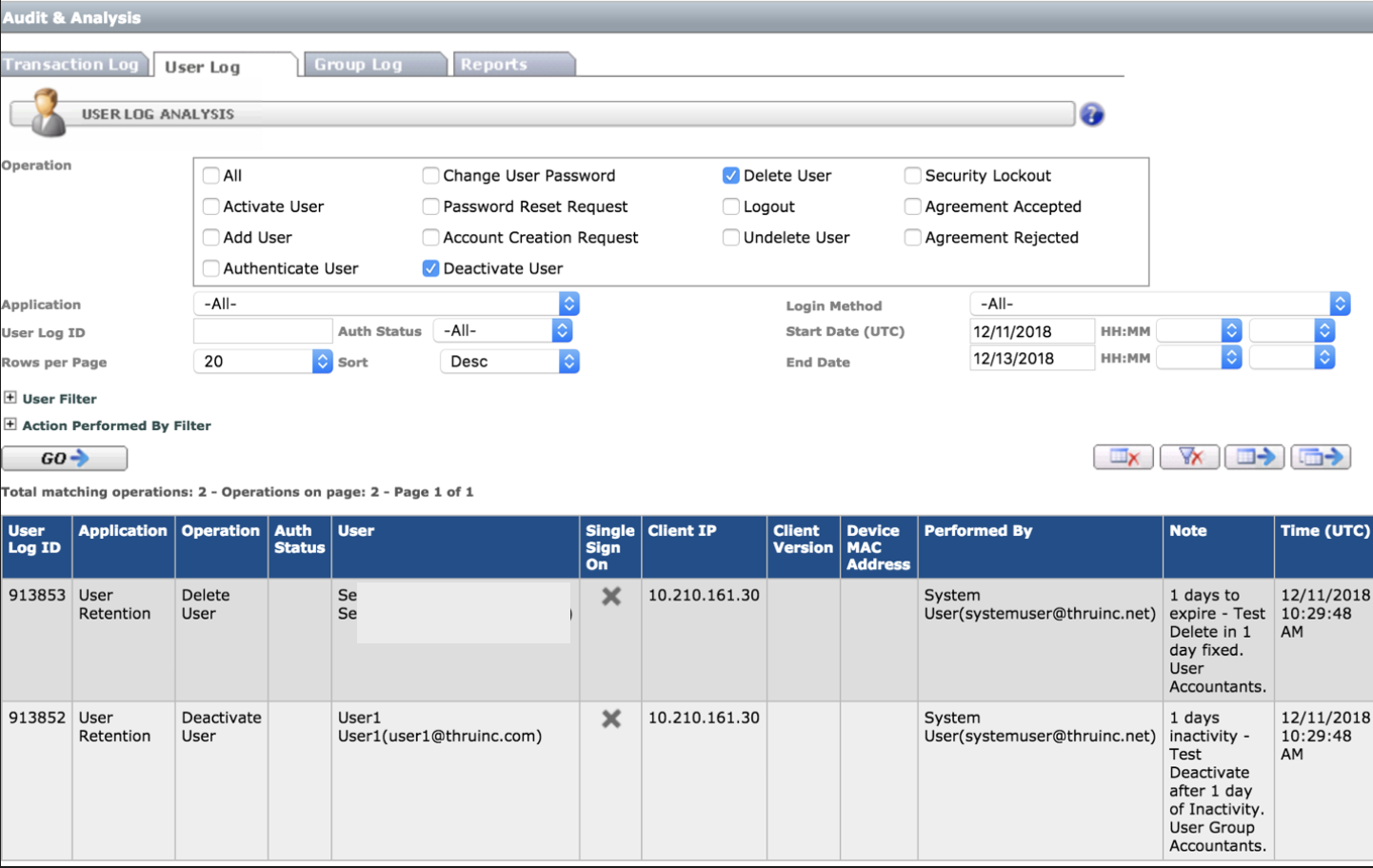
The expiration rule action is logged in the Audit User log, with Performed By set to a system user (the user with the role = 6).
The Note field in the User log contains:
- Duration
- User Expiration definition name
- Object name
For example, 30 days of inactivity, User Group Accountants.