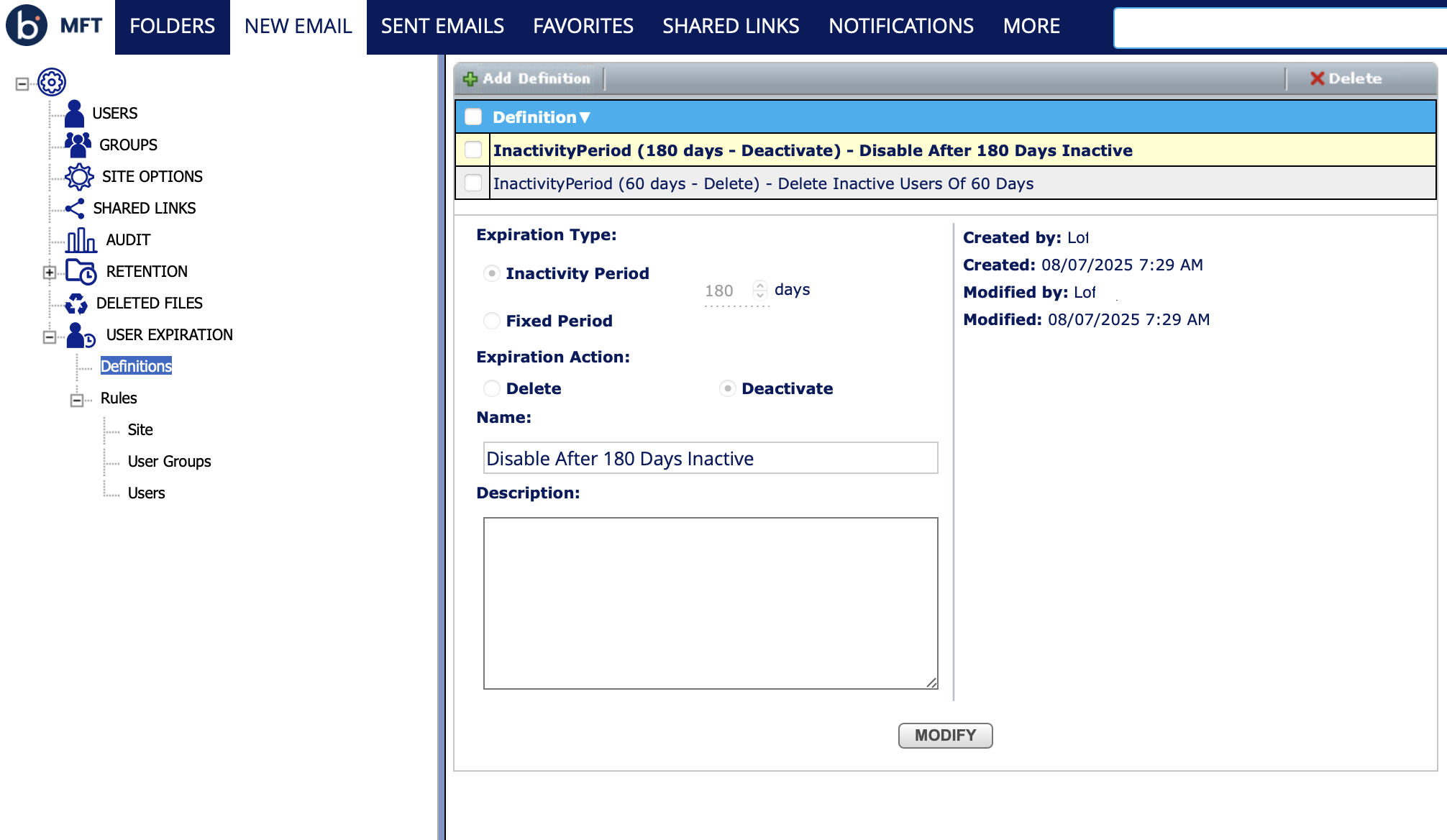
User expiration
User Expiration manages the lifecycle of user accounts in a system. It automatically deactivates or deletes user accounts that have been inactive for a specified period.
Access to the subsections is controlled by a user role. The section contains the following subsections:
- Definitions - Create and manage User Expiration definitions. Available to the Administrator role only.
- Rules -> Site - Assign/Remove a definition to create a rule on the site level. Available to the Administrator role only.
- Rules -> User Groups - View and remove expiration rules assigned to user groups. Available to Administrator and Manager roles.
- Rules -> Users - View and remove expiration rules assigned to the users. Available to Administrator, Manager, and Partner Manager roles. Partner managers can only view users with the same email domain on this page.
Definitions
User Expiration definitions have the following properties:
-
Expiration Type
- Fixed period (in days) – The expiration time will be counted from when the user is created
- Inactivity period (in days) – The expiration time will be counted from the time of the last user activity. The last activity counted as: the last login, the last filesystem operation, the creation date of the user, or the reactivate date of the user (if the user was deactivated early).
-
Expiration Action
- Delete - If a user account has expired, the account is deleted
- Deactivate - If a user has expired, the account is deactivated
-
Name - Definition name will be referred in the actual rules assigned to Site/Group/User
-
Description A description for the definition