GDPR compliance options
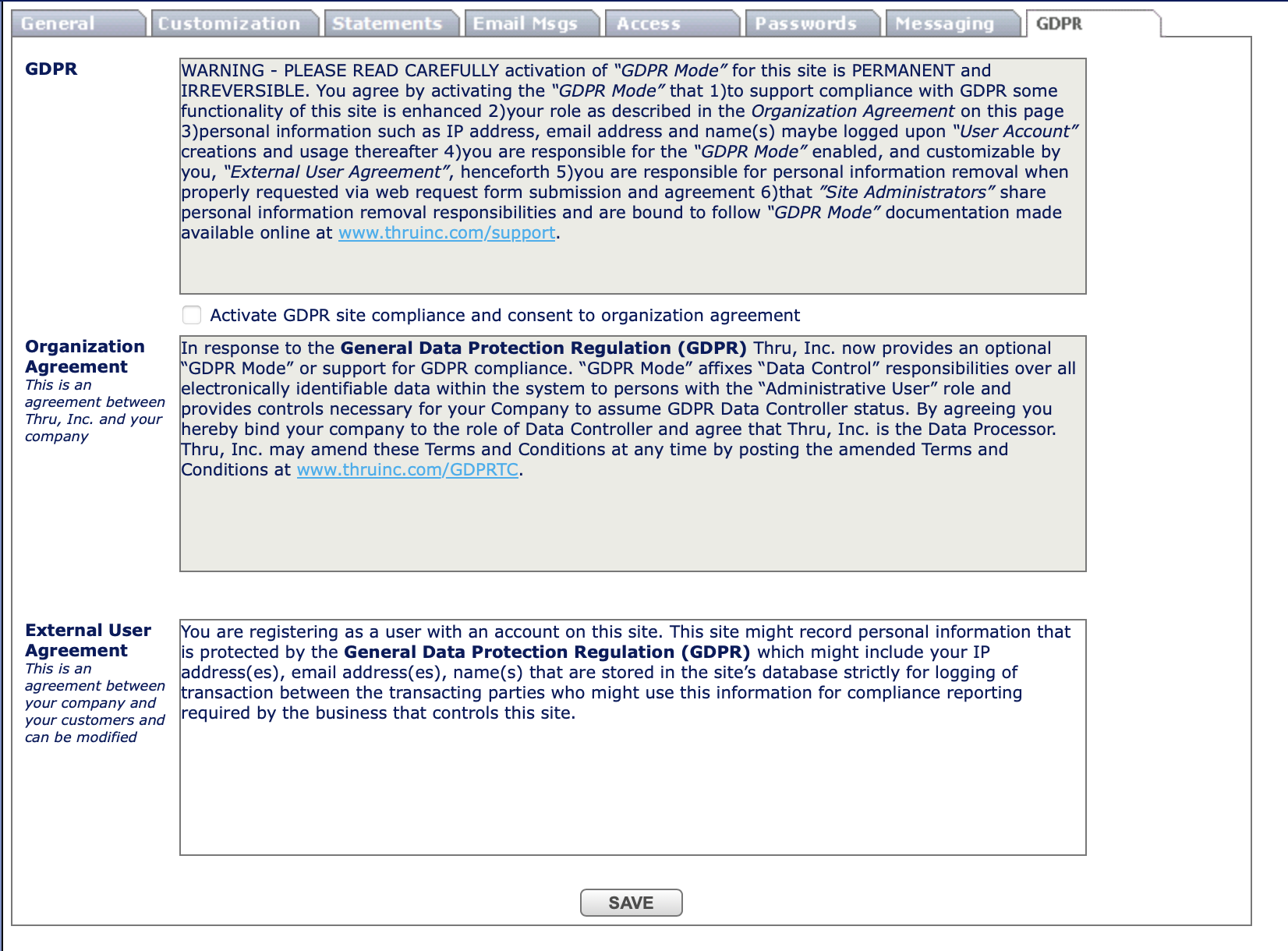
Administrators can enable GDPR site compliance to meet EU GDPR requirements from Site Options > GDPR.
The following features are implemented to make MFT software GDPR compliant:
- Administrative UI to enable and configure GDPR features requires the administrator to consent to the agreement provided by MFT.
- Administration feature to edit the consent text for external guest users when MFT site operates in GDPR mode.
- User removal request feature – Feature for registered or guest users to request deletion of personal information with confirmation of mailbox ownership, and a tool for administrators to delete users on request.
- Administrative UI/tool to handle removal requests and remove user information.
- Lets you delete a user who is an external recipient of MFT distribution (without account in MFT).
- GDPR support for the audit page.
- Show consent to external users – Guest users will be asked to consent to the agreement before registering with MFT site.
- Tool to toggle individual languages.
After checking Activate GDPR site, a confirmation box displays. Click Agree to confirm that you want to enable GDPR compliance and agree to the consent statement.
GDPR site compliance is permanent and cannot be reversed.
After agreeing to the confirmation message, the Activate GDPR site option becomes read-only and cannot be unchecked. The first and last name of the user who approved the consent and a timestamp are recorded and displayed below the checkbox.
GDPR consent statement
You agree by activating the “GDPR Mode” that to support compliance with GDPR some feature of this site is enhanced your role as described in the Organization Agreement on this page personal information such as IP address, email address, and name(s) may be logged upon “User Account” creations and usage thereafter you are responsible for the “GDPR Mode” enabled, and customizable by you, “External User Agreement”, henceforth you are responsible for personal information removal when properly requested via web request form submission and agreement that ”Site Administrators” share personal information removal responsibilities and are bound to follow “GDPR Mode” documentation made available online at www.thruinc.com/support.
Organization agreement
This is an agreement between MFT, Inc. and your company
In response to the General Data Protection Regulation (GDPR) MFT, Inc. now provides an optional “GDPR Mode” or support for GDPR compliance. “GDPR Mode” affixes “Data Control” responsibilities over all electronically identifiable data within the system to persons with the “Administrative User” role and provides controls necessary for your Company to assume GDPR Data Controller status. By agreeing you hereby bind your company to the role of Data Controller and agree that MFT, Inc. is the Data Processor. MFT, Inc. may amend these Terms and Conditions at any time by posting the amended Terms and Conditions at www.thruinc.com/support.
External user agreement
This is an agreement between your company and your customers and can be modified
You are registering as a user with an account on this site. This site might record personal information that is protected by the General Data Protection Regulation (GDPR) which might include your IP address(es), email address(es), name(s) that are stored in the site’s database strictly for logging of transaction between the transacting parties who might use this information for compliance reporting required by the business that controls this site.
Request by a user to remove user data from the system
When clicked, a form is displayed which requests to enter user email.
Email address verification message is sent to user mailbox.
Once email with the link is received, the page under the link sends request to remove user data to the MFT site administrators.
Conditions:
- External user was using the site and agreed to consent text before.
Actions:
- On the front page of MFT site a button is displayed which allows a user to request data removal (Remove My Data).
Removing user data (GDPR-compliant)
If a user exists in the system, a MFT site Administrator can remove a user’s account using GDPR user deletion tools which anonymize the recorded information. This applies to internal and external registered users.
A new section is available in the Administration dashboard called Deleted Users that records user accounts that were deleted before the site enabled GDPR compliance.
You can select the users account from the Deleted User list and anonymize recorded information for this user via GDPR user deletion tools.
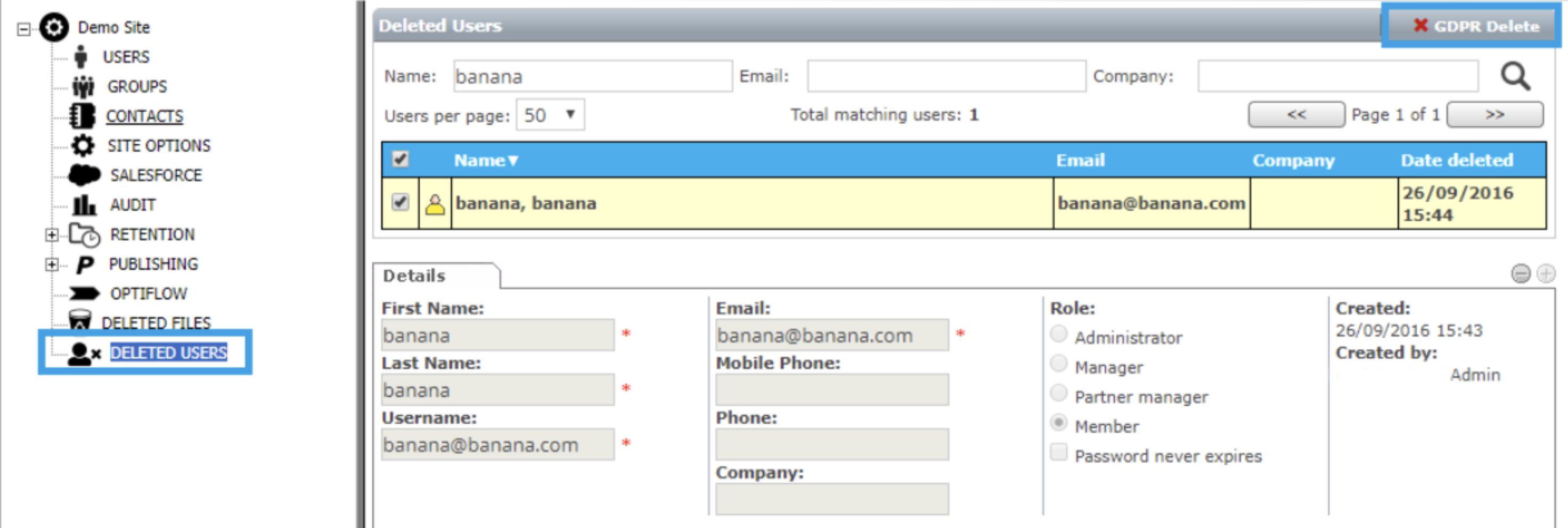
Once GDPR deletion is applied, the user is no longer displayed in Deleted Users list.
