Managing retention definitions
Retention definitions consist of a schedule and behavior settings.
- The schedule part is unique where you can only create one definition for a given retention type plus number of days or date. For example, there can be only one rule for Inactivity Period (3 Days).
- When a definition is created, the system generates its name. The user can only add a free-form suffix if needed.
- By default, definitions are sorted by their generated name which causes them to be grouped by retention type.
- There can only be one permanent rule in the system.
Creating a new definition
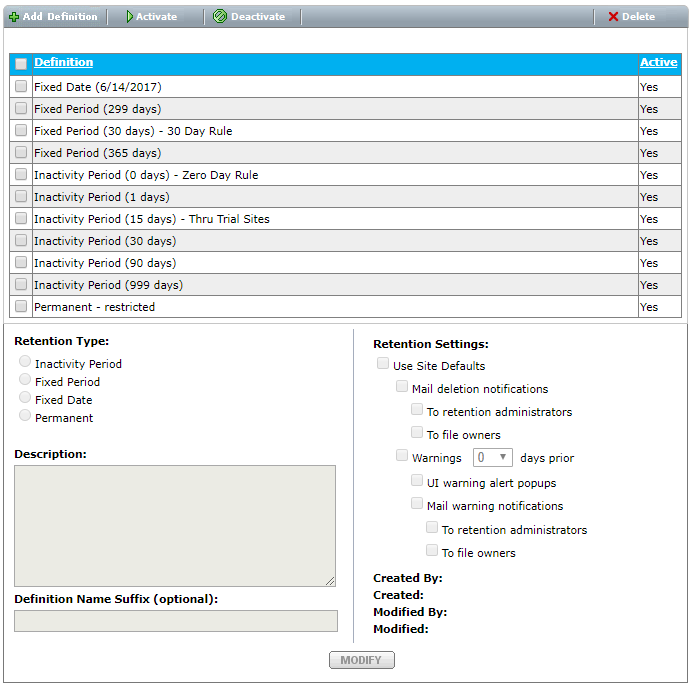
Click Add Definition to create a new definition. The Add Retention Definition dialog displays.
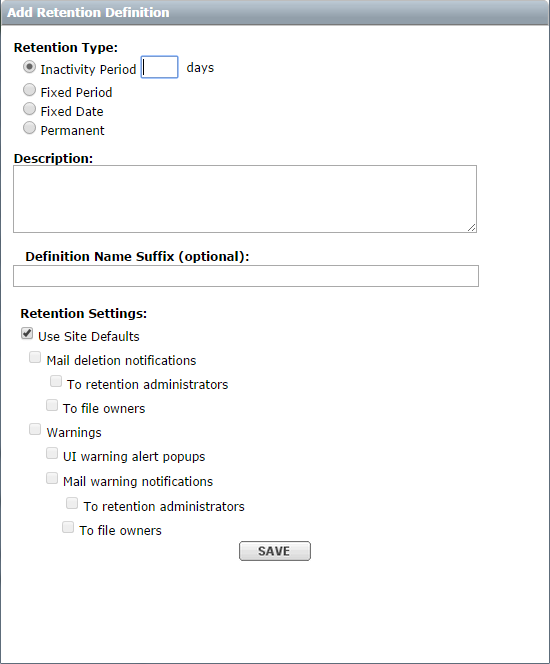
- The text you enter in the description field is visible from the retention rule pages.
- Definition suffix is optional. For example: Fixed Period (3 Days) – Test Suffix
- Site default settings are inherited from retention options by default. You can override them.
Editing definitions
You can edit the definition from the definition list page by selecting a definition and then clicking Modify.
Check all existing rules that use this definition before making changes.
:::
Deactivating/Reactivating Definitions
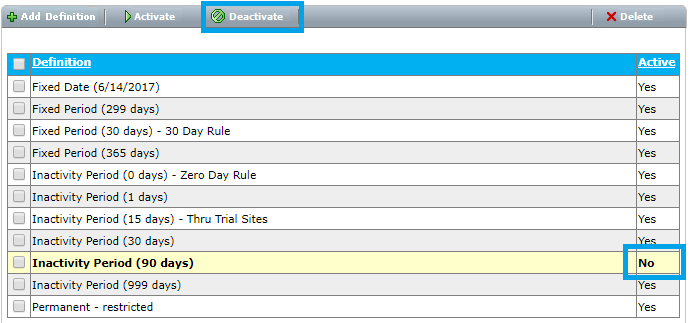
You can deactivate or reactivate definitions from the definition list page by selecting the definition, and then clicking Activate or Deactivate. When a definition is deactivated, all the rules with the definition become inactive immediately.
Deleting definitions
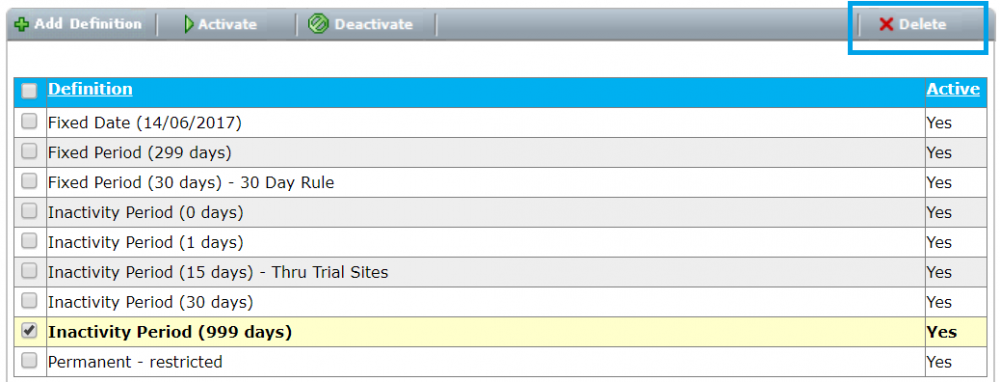
You can also delete definitions from the definition list page by seleting the definition and then clicking Delete. Definitions can only be deleted if they are not referenced by active rules.