Changing user profile information
When viewing details about a user from User Management (Account Name > Administrator > User), you can modify user profile information by clicking Modify.
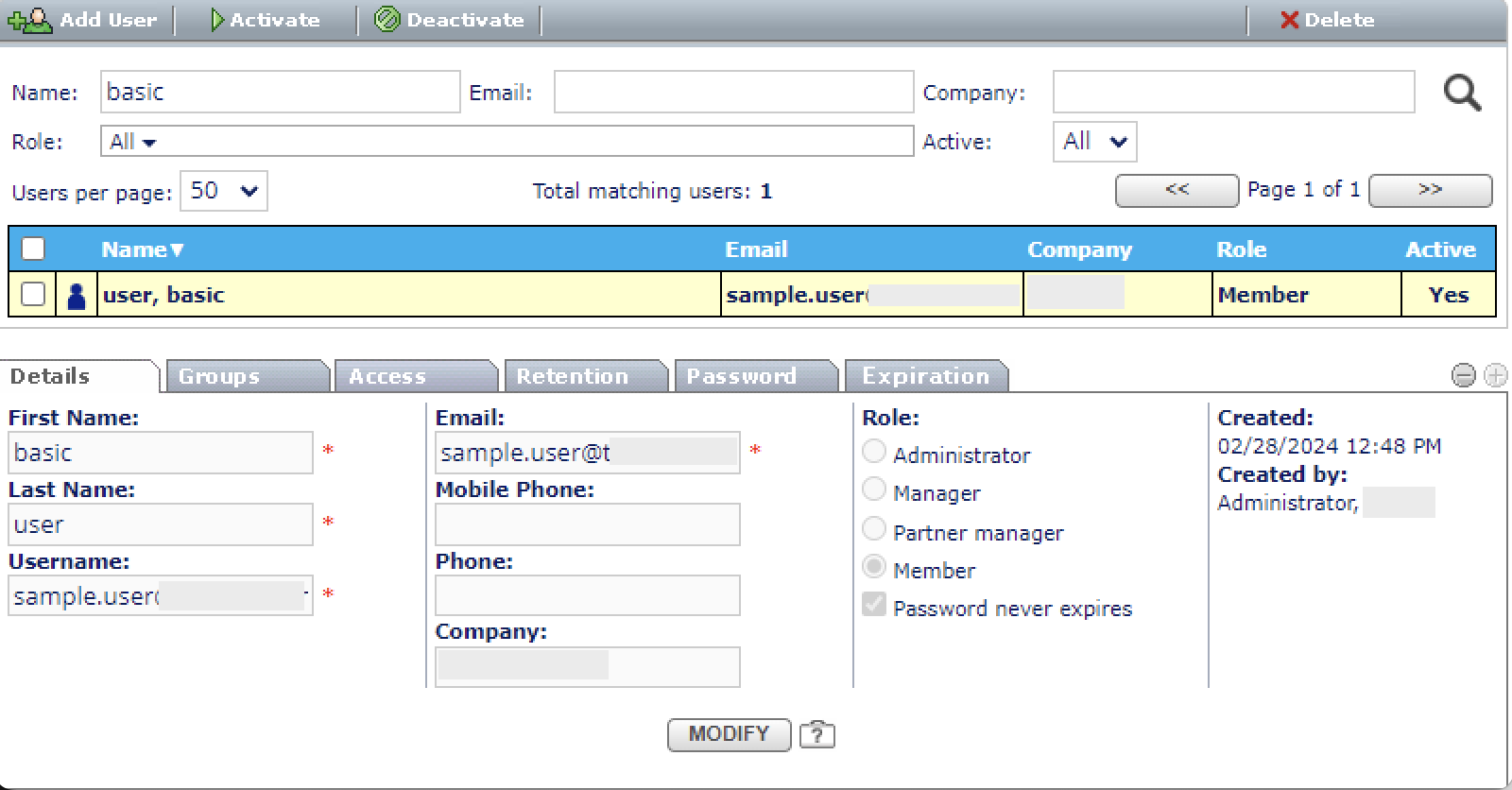
Details tab
From the Details tab, you can update the following information:
- First Name - Required
- Last Name - Required
- Username - Required
- Email - Required
- Mobile Phone
- Phone
- Company
- Role - Administrator, Manager, Partner manager, Member. Refer to Role definitions for more information.
- Password never expires - When checked, the user's password never expires.
You can view details about the user's storage use by clicking the question mark icon next to the Modify button.

Groups tab
The Groups tab shows all the groups to which the selected user belongs. For information about adding or removing groups from a user, refer to Managing Groups.

Access tab
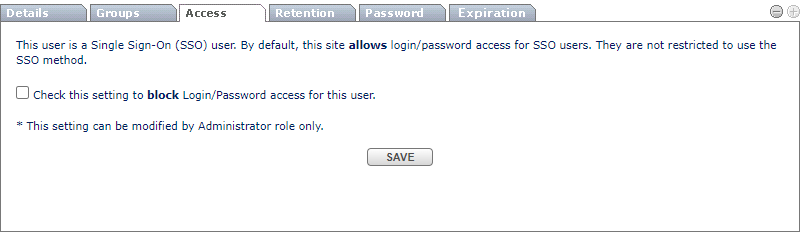
The Access tab shows the user's authentication method, indicating whether SSO is enabled.
If the user authenticates via SSO, Administrators can block login/password access for that user.

Retention tab
The Retention tab shows user-specific retention policies. Only Retention Administrators can modify these settings.
For more information, refer to Default Groups and Retention.
Device Access tab
Administrators can manage users' mobile device access from the Device Access tab. You can allow login from any device, or add specific devices by MAC address.
To allow the user to log in from any device, select Allow user login from any device.
To restrict the devices the user can log in from, click Add MAC and enter the MAC address of the device. For example, 10:10:10:10:10:10.
Then, select the checkbox next to the MAC addresses you want to allow and click Allow.
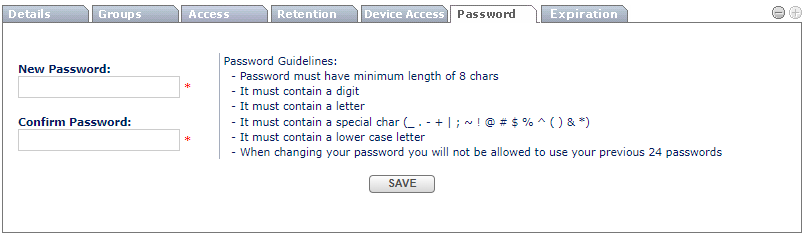
Password tab
Administrators can reset passwords for a user from the Password tab. This is helpful when a user forgets their password or a reset is required for security or compliance.